
Wordtune vs QuillBot: Which AI writing tool fits you?
Wordtune and QuillBot can both rescue a stubborn, awkward sentence. The difference is how they do it. Here is how they compare on rewriting, grammar, summaries, pricing, and daily limits in 2026.
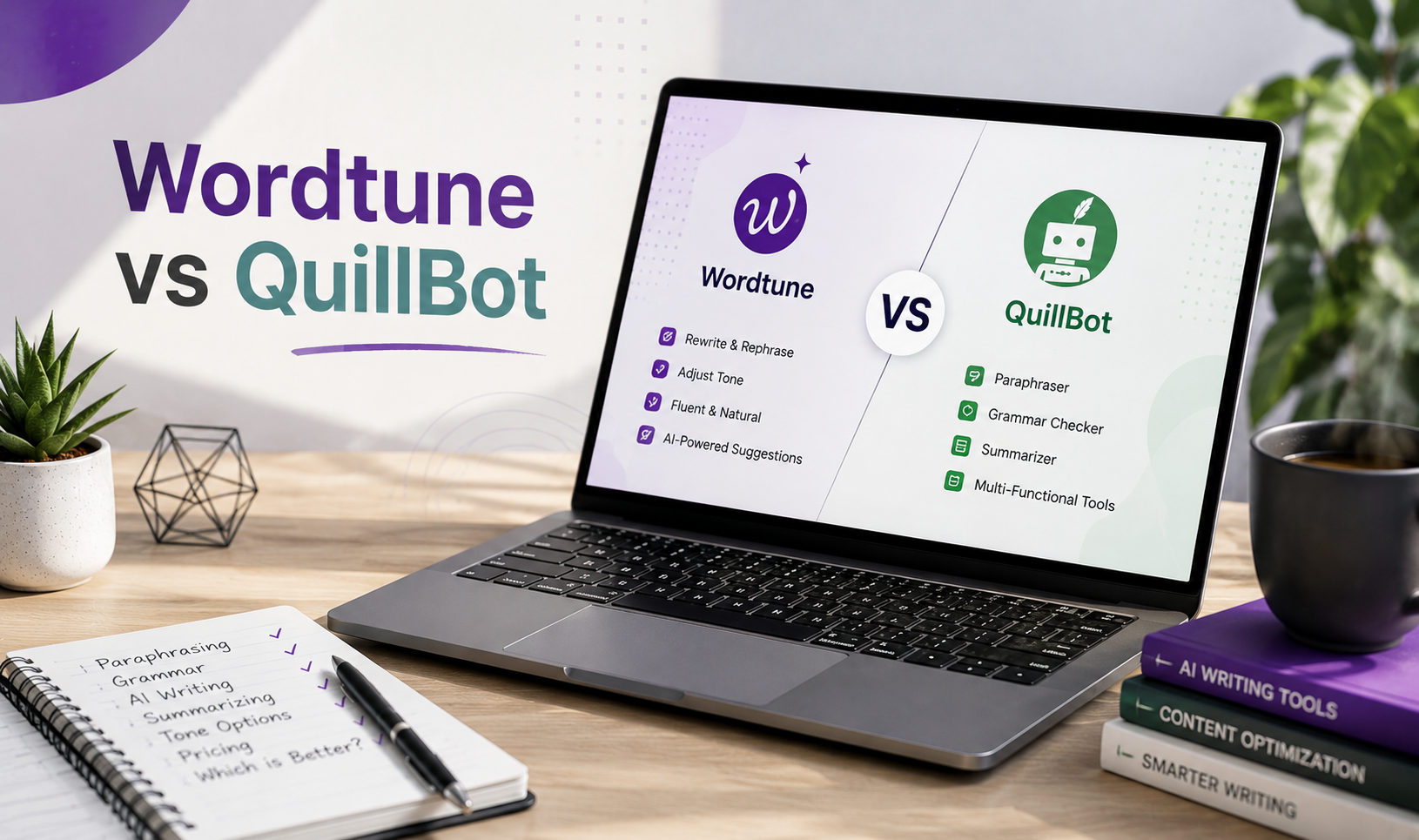
Wordtune and QuillBot can both rescue a stubborn, awkward sentence. The difference is how they do it. Wordtune gives you contextual rewrite options and simple tone controls. QuillBot offers more paraphrasing modes and a much wider set of writing tools.
For this Wordtune vs QuillBot review, we put both tools side by side to see how they perform at rewriting, grammar, summaries, pricing, free limits, and typical writing tasks.
Quick verdict: Which tool fits which writer?
Wordtune is the better fit for people who spend most of the day writing emails, reports, messages, and short business copy. Its main strength is giving you several natural ways to rewrite a sentence based on the surrounding text. The interface feels focused, and its Unlimited plan costs less than QuillBot Premium.
QuillBot makes more sense if you want structured paraphrasing controls or a broader writing kit. It includes academic modes, a dedicated Humanizer, citations, plagiarism checks, AI detection, translation, and many smaller tools.
The basic QuillBot vs Wordtune choice looks like this: Wordtune helps you refine how a sentence sounds. QuillBot gives you more ways to process, check, and reshape a full draft.
Best fit for paraphrasing and rewriting
What is Wordtune in simple terms? It is a writing assistant that reads the sentence around your selection and offers several alternatives. QuillBot takes a more tool-based approach. You choose a mode, set how much the wording should change, and run the text through it.
That makes Wordtune feel more like an editor at your elbow. QuillBot feels more like a workbench with several controls.
Wordtune vs QuillBot: Key takeaways
- Wordtune is a strong fit for contextual rewrites, tone changes, and daily business writing.
- QuillBot gives you more paraphrasing modes and stronger controls for academic or long-form text.
- QuillBot has a wider toolkit, including citations, plagiarism checks, an AI Detector, and a dedicated Humanizer.
- Wordtune Unlimited costs less than QuillBot Premium based on the current listed prices.
- Wordtune limits actions on its lower plans, while QuillBot Free limits the amount of text you can process at once.
QuillBot at a glance
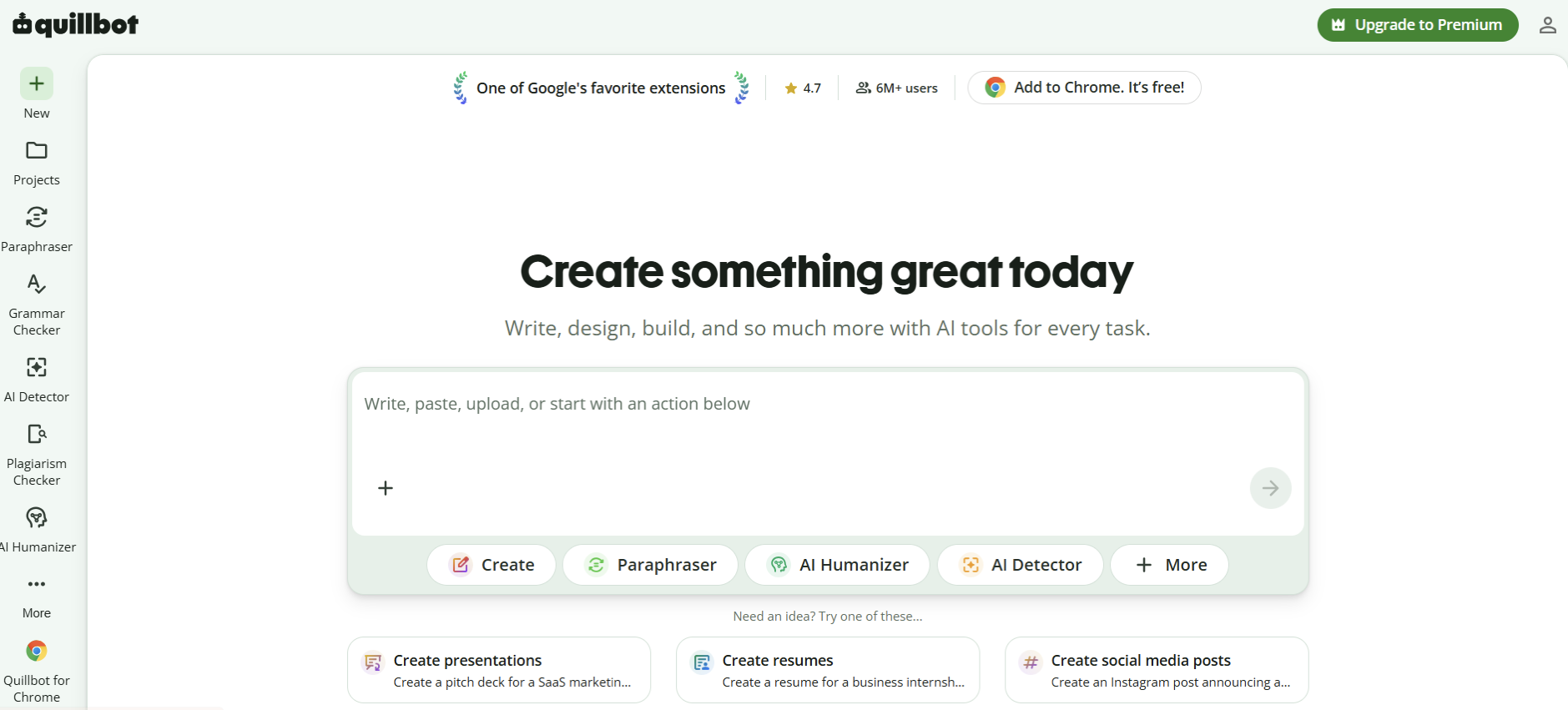
QuillBot began as a paraphrasing tool, but it now covers much more. The platform includes a Grammar Checker, Summarizer, Citation Generator, AI Humanizer, AI Detector, Plagiarism Checker, Translate tool, AI Chat, PDF utilities, and image features.
Its Paraphraser remains the main attraction. Free users get Standard and Fluency modes with a 125-word input limit. Premium adds Formal, Simple, Creative, Academic, Expand, Shorten, Humanize, and Custom modes.
The wider toolkit makes QuillBot useful for people who want to rewrite, check, summarize, and manage text without moving between several platforms.
Where QuillBot is strongest
QuillBot gives writers more direct control over the type of rewrite they want. The Academic mode can make a passage more formal. Shorten removes extra wording. Expand adds detail. Custom mode lets you describe the voice or style you need.
It also suits academic and research-heavy work better. Students can create citations, summarize sources, translate text, and check for matching language without leaving the platform.
Where QuillBot falls short
More tools can mean more uneven results. A paraphrase may sound natural in one mode and oddly formal in another. Meaning can also shift when the synonym level is set too high.
Several of QuillBot’s most useful features sit behind Premium. The free 125-word Paraphraser limit becomes annoying once you move beyond a short paragraph.
QuillBot’s grammar help is useful, but it is not a full editorial review. It may correct a sentence without understanding the wider argument or voice.
Wordtune at a glance
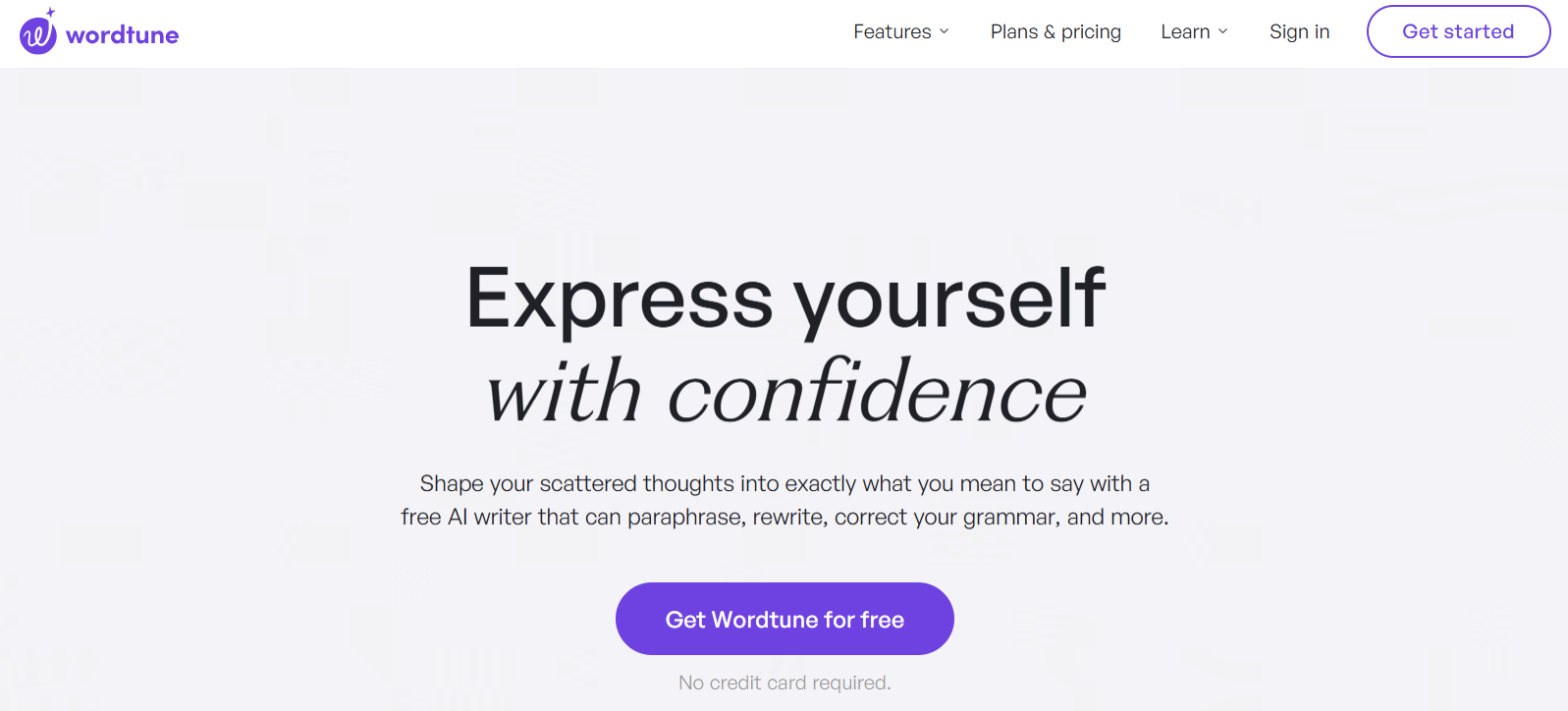
Wordtune focuses on helping people express ideas more clearly in English. Its core tools include Rewrite, Formal, Casual, Shorten, Expand, Smart Synonyms, grammar correction, Contextual Suggestions, Ask AI, and a reading and summarizing workspace.
While working on this Wordtune review, we noticed that it goes beyond simple sentence rewording. The platform can rewrite a sentence or a full paragraph and return several options based on the surrounding text. That context can make the suggestions feel less random than a basic synonym swap.
Wordtune also has a browser editor, Chrome and other browser extensions, and an iPhone app. It does not currently offer an Android app or Safari extension.
Where Wordtune is strongest
Wordtune is at its best when you know what you want to say but dislike how you said it. You can ask for a formal version of a client email, shorten a long update, or make a stiff paragraph sound more casual.
For anyone comparing QuillBot vs Wordtune 2026 performance, Wordtune’s focused interface is part of the appeal. You do not have to choose among a large collection of tools. Highlight the text, pick an action, and review the options.
Its Summarizer is also useful for research. It can connect short summaries to the parts of a source they came from, which makes key points easier to check.
Where Wordtune falls short
Wordtune writes its results in English. It can accept several other languages and turn them into English, but it is not a full multilingual writing tool.
Its lower plans also use daily or monthly action limits. The Advanced plan is paid, yet it still caps rewrites and summaries. People who rewrite throughout the day may need Unlimited.
Wordtune has no active plagiarism checker, standalone citation generator, or current AI Detector. Its “Humanize AI” feature mainly uses its normal rewriting and tone controls rather than a separate humanizer tool.
| Comparison point | Wordtune | QuillBot | Better fit |
|---|---|---|---|
| Main strength | Context-aware sentence rewrites | Mode-based paraphrasing and wider tools | Depends on the task |
| Rewrite output | Several alternatives per selection | Output based on a chosen mode | Wordtune for options; QuillBot for controls |
| Academic tools | Summaries and English rewriting | Citations, plagiarism checks, summaries, Academic mode | QuillBot |
| Tone controls | Formal and Casual | Formal, Creative, Custom, and other modes | Wordtune for simplicity |
| Language support | Input in several languages, output in English | Wider translation and multilingual tools | QuillBot |
| AI humanizing | Uses standard rewrite controls | Dedicated Humanizer | QuillBot |
| Research workflow | Source-linked summaries and saved reading | Wider range of separate research tools | Depends on workflow |
| Mobile access | iPhone, no Android | iOS and Android | QuillBot |
Wordtune vs QuillBot comparison, feature by feature
Feature lists only tell part of the story. The more useful question is how each tool handles a draft when the wording, tone, or structure needs work.
Rewriting and paraphrasing
Wordtune gives you several alternatives based on the sentence and its context. You can move through the options and choose the one that sounds closest to your voice.
QuillBot asks you to choose the kind of change first. Standard mode gives a general rewrite. Fluency focuses on readable language. Academic, Formal, Shorten, Expand, and other modes push the result in a set direction.
Wordtune is quicker for a single email or paragraph. QuillBot offers more control when you need to process many sections in the same style.
| Writing goal | Wordtune option | Closest QuillBot option | Main difference |
|---|---|---|---|
| General rewrite | Rewrite | Standard or Fluency | Wordtune gives several contextual choices |
| Professional tone | Formal | Formal | Similar goal, different suggestions |
| Casual tone | Casual | Creative or Custom | QuillBot has no exact Casual mode |
| Shorter text | Shorten | Shorten | Both can remove a key detail |
| Longer text | Expand | Expand | Both may add ideas that need checking |
| Replace one word | Smart Synonyms | Word alternatives and Synonym Slider | Wordtune targets the word more directly |
| Academic language | No dedicated Academic control | Academic mode | QuillBot offers clearer academic guidance |
| Custom style | Contextual suggestions | Custom mode | QuillBot accepts more direct style instructions |
| Humanize AI text | Rewrite and tone tools | Dedicated Humanizer | QuillBot treats it as a separate feature |
Grammar, clarity, and style
Both tools correct basic grammar and spelling. The difference appears in what happens next.
Wordtune tends to offer a cleaner version of the full sentence. This can be helpful when the line is technically correct but awkward. QuillBot’s Grammar Checker focuses more clearly on individual language issues, then offers wider style advice on paid plans.
Neither tool should replace a careful editor. Both may flatten humor, smooth out deliberate fragments, or make a brand voice more generic.
If grammar correction is the main need, it also makes sense to look at Grammarly and QuillBot alternatives built around detailed explanations. Wordtune and QuillBot are more useful when rewriting matters as much as error correction.
Summaries and research workflows
Wordtune’s Summarizer is built around reading. It can import web pages, pasted text, and many PDF files. Its source-linked summaries help you trace an idea back to the original passage.
QuillBot’s Summarizer is simpler. It turns text into a paragraph or bullet list and lets you adjust the length. QuillBot then supports the next steps with citations, translation, plagiarism checks, and other tools.
Wordtune has a more connected reading experience. QuillBot has a broader academic workflow.
Pricing and plan value
Wordtune pricing is lower at the top personal tier. Wordtune Unlimited costs $9.99 per month or $6.99 per month with annual billing. QuillBot Premium costs $19.95 monthly or $99.95 per year, which comes to $8.33 per month.
The price gap is smaller with annual billing. QuillBot also includes more tools, so the cheaper plan is not automatically the better deal.
Here is the clearest view of Wordtune features and pricing next to QuillBot’s plans:
| Plan | Price | Rewrite or paraphrase limit | Summary limit | Main extras | Best fit |
|---|---|---|---|---|---|
| Wordtune Basic | Free | 10 rewrites or AI suggestions daily | 3 per month | Grammar and spelling | Light daily use |
| Wordtune Advanced | $6.99 monthly or $4.89/month annually | 30 daily | 15 per month | Ask AI and advanced suggestions | Regular but limited use |
| Wordtune Unlimited | $9.99 monthly or $6.99/month annually | Unlimited | Unlimited | Full rewriting and summary access | Frequent English writers |
| QuillBot Free | Free | 125 words per input | Limit varies by official page | Basic modes, citations, AI Detector | Short tasks |
| QuillBot Premium | $19.95 monthly or $99.95 annually | Unlimited | Higher limits | All modes, Humanizer, plagiarism checks | Broad writing and academic work |
Wordtune offers a three-day trial for paid personal plans, but payment details are required. The plan renews if you do not cancel. Wordtune does not offer broad refunds.
QuillBot also limits refunds and says they are mainly issued when required by law. It does let eligible web subscribers pause some individual plans for 30, 60, or 90 days.
Free plan constraints
The free plans restrict different things.
Wordtune lets you rewrite longer text but counts each action. Ten daily rewrites can disappear fast if you compare several versions of one paragraph.
QuillBot allows repeated free use, but each Paraphraser input is capped at 125 words. That is enough for a short section only.
Wordtune Free feels better for a few focused edits. QuillBot Free suits people who do not mind processing text in small pieces.
Accuracy and output quality
Neither platform can promise that every rewrite will preserve the exact meaning. A sentence may become smoother but lose a condition, soften a claim, or sound more confident than the source.
Wordtune openly says its suggestions may sometimes change the meaning or introduce an idea that does not fit. QuillBot can also make large changes when you choose creative modes or increase the synonym level.
The safest workflow is simple:
- Read the source before rewriting it.
- Compare the results line by line.
- Check names, dates, figures, and claims.
- Remove wording that does not sound like you.
- Read the paragraph as a whole.
Manual fact-checking and editing after AI suggestions
Expand tools need your critical thinking the most. Both platforms may add examples or details that were never in the original. Summaries can drop a small exception that changes the conclusion.
Do not assume a polished line is an accurate line. If a tool adds a fact, check it against the source. If it changes a technical term, change it back unless the new wording is truly equivalent.
Best use cases by writing situation
The right tool depends less on the feature list and more on what is sitting in front of you.
Academic writing
QuillBot has a stronger academic toolkit. Academic mode, citations, plagiarism checks, translation, and longer Premium inputs make it easier to work through papers and source-based tasks.
Wordtune can still help students improve English texts, shorten dense sentences, and understand long readings. Its source-linked summaries are useful when you’re working through reports or articles.
Neither tool makes borrowed ideas your own. Professors may notice sudden changes in voice, weak citations, or phrases that do not match the rest of the work. Rewriting text does not guarantee that a detector or plagiarism system like Turnitin will ignore it.
Business and email writing
Wordtune is a natural fit for email and workplace communication. Formal and Casual controls are easy to understand, and the tool gives several options without turning the task into a settings exercise.
It works well for project updates, client replies, LinkedIn posts, and short reports. You can quickly remove a sharp tone or make a vague request more direct.
QuillBot can handle these tasks, too, especially through Formal, Shorten, and Custom modes. Wordtune simply feels more focused on the daily sentence-by-sentence workflow.
Long-form content and blogs
QuillBot is often more practical for writers who rework long sections, switch between several modes, build citations, or check text with other tools in the same account.
Wordtune’s Editor helps with longer drafts, but its real strength remains local editing. It is good at fixing the paragraph in front of you. It is less suited to managing a full content workflow.
If you’re a blog writer, try a sensible split. Draft and structure the article elsewhere, use Wordtune to improve tone and sentence flow, or use QuillBot when you need broader rewrites and supporting tools.
Free vs paid: What to test before subscribing
Do not choose based on the longest feature list. Use both free plans for the kind of text you write every week.
Pay attention to how many suggestions you reject. A tool that gives ten options is not saving time if nine sound wrong. Also, check how often you need a paid feature. Formal tone may matter every day for one writer and never for another.
Test the same paragraph in both tools
Use one paragraph with a clear purpose and a few noticeable problems. It should have one awkward sentence, one long sentence, a tone issue, and at least one detail that must stay unchanged.
Run it through the closest matching controls and compare the results.
| Test sample | What to compare | Good result | Warning sign |
|---|---|---|---|
| Awkward email | Tone and clarity | Sounds natural and professional | Becomes stiff or too polite |
| Academic paragraph | Meaning and key terms | Keeps every claim and term | Changes the argument |
| Blog introduction | Voice and flow | Improves rhythm but keeps personality | Turns into generic marketing copy |
| Long sentence | Concision | Removes clutter and keeps the detail | Drops a key condition |
| AI-generated paragraph | Naturalness | Changes structure and repeated patterns | Only swaps a few words |
| Non-native English | Grammar and fluency | Fixes errors and keeps the point | Rewrites more than needed |
| Factual passage | Accuracy | Keeps names, dates, and figures | Adds unsupported information |
Paid access is worth considering when the free limits interrupt your work. It is not worth paying for a feature you only opened because it was sitting in the menu.
Final recommendation on Wordtune vs QuillBot
Wordtune is the better choice for writers who care most about sentence flow, tone, and fast options. It fits emails, short business content, and everyday English editing. Its Unlimited plan is also cheaper than QuillBot Premium.
QuillBot is the better choice when paraphrasing is only one part of the job. It covers more academic tasks, supports more languages, and gives you stronger mode controls.
Choose Wordtune for contextual rewriting and tone
Pick Wordtune if you spend most of your time polishing short or medium-length English text. It gives you several ways to say the same thing and keeps the workflow simple.
It is especially useful for people who write inside Gmail, Google Docs, Slack, or other browser tools and want help without moving the draft into a large toolkit.
Choose QuillBot for paraphrasing-heavy workflows
Pick QuillBot if you regularly rewrite longer passages, need an Academic mode, or want citations, plagiarism checks, AI detection, translation, and humanizing in the same account.
QuillBot costs more, but the extra value is easier to see when you use several of those tools. If you only need better sentences, much of the platform may sit untouched.
Frequently asked questions
Is there anything better than QuillBot?
Yes, for some tasks. Wordtune may suit short contextual rewrites and tone changes better. ChatGPT offers more freedom for drafting and ideas, while Grammarly focuses more closely on grammar. QuillBot remains a strong choice when you want paraphrasing and several academic tools together.
Can professors tell if you use QuillBot?
They may notice changes in tone, weak sources, or writing that does not match your earlier work. AI and plagiarism tools may also flag parts of a paper, but no score proves that QuillBot was used. Follow course rules and review every rewrite yourself.
Is Wordtune better than ChatGPT?
Wordtune is better for quick, controlled rewrites inside an existing draft. ChatGPT is stronger for brainstorming, outlining, full drafts, and long conversations about a topic. Wordtune keeps the task narrow. ChatGPT gives you more freedom, which can also mean more checking.
Is using QuillBot illegal?
No. QuillBot is a legal writing tool. Problems begin when someone uses it to hide plagiarism, break school rules, or submit work they did not create. The tool itself is allowed. The way it is used may still violate an academic or workplace policy.
Can you use Wordtune and QuillBot together?
Yes. You could use QuillBot to paraphrase or shorten a longer section, then use Wordtune to improve individual sentences and tone. Just avoid running text through tools again and again. Too many rewrites can drain the voice and blur the original meaning.
The winner depends on what slows you down
Choosing between Wordtune and QuillBot comes down to the writing job. QuillBot is the stronger pick for structured paraphrasing, academic tools, and longer rewrite workflows. Wordtune is better suited to contextual sentence changes, tone, and daily English writing. Start with the free plans, test both on the same paragraph, and pay for the one that removes more work from your week.